Saturday, 15 September 2012

CANON EOS 600D

The Canon EOS 600D allows anyone to capture breathtaking images with creative freedom. With an 18.0 megapixel Canon developed CMOS sensor and DiG!C 4 Image Processor, users can create inspiring images with incredible detail even in low light. The EOS 600D is perfect for those looking to pursue the creative world of DSLR photography. Lenses sold separately


EOS 600D can record full HD 1920x1080p videos that offers manual control where exposure and frame rate of 30.25 and 24 fps at full resolution, and 60 and 50 fps at a resolution of 720p. Other than, the EOS 600D provides several filter effects to make the photos more interesting to the RAW image and all JPEG images. Features filter can be applied after the user performs image capture and apply different filters to the same picture with some selection effects


600D Camera Body (Exterior) Some photographers (including me) expected a redesigned camera body. In fact, the Canon 600D looks almost identical to the camera it replaces, the 550D (T2i). When you look at the front, you can see that the camera is a bit larger (133.1 x 99.5 x 79.7 mm) than the 550D (128.8 x 97.3 x 62 mm). So according to the specs, the T3i is 2.3mm wider, 2.2mm wider and 17.7mm larger in depth (probably due to its swiveling LCD). In terms of ergonomics, it would feel the same as the T2i. The 600D is also ~40g heavier than the 550D. When you look at the backside, you can see that the buttons are arranged almost the same, just a minor placement change due to the swivel-tilt LCD switch on the right side. Talking about the LCD, Canon has equipped the EOS 600D with a Vari angle 3-inch (7.7cm) 3:2 Clear View TFT display with 1040k dot resolution. This is most probably the same LCD screen used on the 60D. The LCD has 170° Horizontal and Vertical viewing angles and has Anti-reflection and anti smudge coating. I am sure that videographers will be happy to see that Canon has decided to use that type of screen on this entry-level DSLR too. 
 From personal experience with the 60D, I must say that the LCD is very useful for shooting in awkward shooting angles, both in stills and videos. Its built quality is very good and it has a tacky and sturdy feeling to it when tilting and swiveling it. The LCD image quality is also excellent. I really enjoyed viewing image and videos on the 60D and I am sure that you'll get the same experience with the 600D as well. TIP: Even though this is a swivel screen and you can collapse and close it with the viewable part towards the camera, I recommend getting a protecting cover for it. I bought an InvisibleShield 3.5" screen protector which perfectly fits this screen. Yes, 3.5-inch, not the 3.0. I didn't want the 3.5-inch, but that what they have at the store. After buying it and putting it on, I've realized that this is the perfect size for it (apparently). I didn't try the 3-inch one, but the 3.5-inch does fits this LCD. Just note that this is not a recommendation, just this is what worked for me. Ask your dealer about a screen protector for the 600D. The camera body has USB 2.0, Video Out, remote control, mini HDMI and 3.5mm stereo connectors. The 600D works on SD/ SDHC / SDXC memory cards (no dual slot) and support the BG-E8 grip. Does the 60D battery grip works with the 600D? - According to the specs, No. The 600D supports the BG-E8 grip, while the 60D supports the BG-E9 grip (BTW: excellent grip, very comfortable). The camera itself weights 570g including battery and memory card. Overall, the 600D looks almost identical as the 550D, but with minor changes in size, weight, button placement and button size.

Thursday, 13 September 2012

Nikon D600 Specifications

Nikon D600: Key Specifications
 24.3MP Full-frame CMOS sensor (10.5MP DX-format crop mode)
    ISO 100-6400 (expandable to ISO 50-25,600 equivalent)
    Maximum 5.5fps continuous shooting
    39-point AF system with 9 cross-type AF points
    3.2in 921k-dot LCD screen
    1080p30 full HD video mode with stereo sound recording
    Headphone jack for audio monitoring in movie mode
    Uncompressed video recording via HDMI
    Single-axis electronic level in viewfinder, duel-axis (pitch and roll) in live view
    Dimensions: 141mm x 113mm x 82mm (5.5 × 4.4 × 3.2 in).
    Weight: 760 g (1.6 lbs) (camera body only, no battery)

A full-frame camera for the rest of us?

At its list price at launch of $2099 the D600 is one of the most affordable full-frame cameras yet, and there's no doubt that it's a product which a huge number of photographers (not only Nikon users) have been waiting for. Although Nikon insists that there are still good reasons to buy the D300S, it seems very likely that the D600 will finally supplant the older DX-format model as the 'upgrade of choice' for users of the D3200, D5100 and D7000. But despite its relatively low cost the D600 is very far from a 'no frills' model. Features like 5.5fps shooting at full-resolution, 100% viewfinder coverage, full HD video capture with an option to record uncompressed footage via HDMI and a customizable 39-point AF system would be pretty impressive in a camera costing much more.

Nikon's last big DSLR release was the D800. The big news with that camera was its pixel count of 36MP, which when it was released, comfortably eclipsed everything else around (and at the time of writing still does). The D600 doesn't quite reach those dizzy heights, but at 24MP, it matches or exceeds the pixel count of every other full-frame system camera. It is also one of the most versatile, offering a useful 10.5MP DX crop mode and an in-body AF motor, which ensures AF compatibility with older, non-AF-S Nikkor lenses. These factors alone will give it serious appeal to two camps - D800 or D4 owners looking for a smaller, lower-cost second body, and D300S and D7000 owners who want to step up to full-frame but don't want (or can't afford) to replace all of their DX-format lenses.


Ergonomically, the D600 will be very familiar to both of these constituencis. The D600's UI is all but identical to the DX-format D7000, and It shares the same 39-point AF system. In terms of functionality though, the D600 also has a lot in common with its big brother the D800, particularly when it coms to video specification. Something that we didn't expect on the D600 was the ability to shoot uncompressed video footage via HDMI. This, plus a mic socket for an external microphone, and a headphone jack should make the D600 very appealing to videographers. The only real difference between the implementation of the D600's video mode compared to the D800 is that you can't adjust aperture during movie recording on the new model (unless you use an older manual focus lens with a mechanical aperture ring).
D600 versus D7000: Specification highlights

24.3MP Full-frame CMOS sensor (compared to 16.2MP DX-format CMOS) Maximum 5.5fps continuous shooting (compared to 6fps) 3.2in 921k-dot LCD screen (compared to 3in) D800-style combined movie/still live view mode button Headphone jack for audio monitoring in movie mode Uncompressed video recording via HDMI D600 versus D800: Specification highlights 24.3MP Full-frame CMOS sensor (compared to 36.3MP CMOS) 10.5MP DX-format crop mode (compared to 15.3MP) 39-point AF system with 9 cross-type AF points (compared to 51-points, with 15 cross-type) Autofocus sensitivity down to -1EV (compared to -2EV) Maximum 5.5fps continuous shooting in FX mode (compared to 4fps in FX mode) 2,016-pixel RGB TTL exposure metering sensor (compared to 91,000 pixels) 2x SD slots (compared to CF+SD) No 'Power Aperture' aperture control during movie shooting (offered by D800 using Fn + Preview buttons) Shutter rated to 150,000 cycles (compared to 200,000 cycles) Magnesium-alloy top and rear, polycarbonate front-plate (D800 is full mag-alloy except flash housing) USB 2.0 interface (compared to USB 3.0)

NIKON D600


With the ever-encroaching reach of interchangeable lens cameras (ILCs), it's about time that the SLR world brought out some big guns to lure the headlines away from the little guys. Photographers who are looking for an upgrade from their entry-level SLRs have most likely heard of full-frame cameras, but price-wise they have often been far out of reach. Enter a camera such as the Nikon D600, which has a 24.3-megapixel full-frame CMOS sensor. Full-frame sensors have the advantage of being larger than their APS-C or crop-sensor cousins. In a nutshell this means that they are able to gather more light thanks to the larger photosites, and are not susceptible to crop factor. This means that when you mount a 50mm lens on a full-frame camera, it's a true 50mm focal length. Borrowing a lot of the same shooting configuration and look-and-feel of other full-frame Nikon SLRs like the D800, it does have a new locking mode dial design. That means there's a button that you need to depress every time you want to turn the mode dial, similar to what's found on some Canon SLRs. Along with the requisite still image-taking capabilities, the D600 can shoot full HD video (1080p) at 24, 25 or 30 frames per second. Recording can also be done in DX crop, which uses the centre portion of the sensor to provide a 1.5x focal-length crop, still able to record at 1080p. An uncompressed and clean video out is available through the HDMI port, with headphone monitoring also available. At the back is a 3.2-inch, 921,000-dot LCD screen, and the D600 comes with dual SD card slots Connectivity has been all the rage in 2012 camera models, with the D600 being no exception. An optional Wi-Fi transmitter attaches to the USB port and can send images to any number of wireless devices using a dedicated Nikon app. It also offers remote, wireless tethering. There's also a built-in time-lapse functionality to snap images at set intervals. Continuous shooting is at 5.5 frames per second, while there's a 39-point AF system with 9 cross-type points on board. Nikon Australia no longer issues official RRPs for its products, though one Australian retailer is offering it for AU$2599 for body-only. The D600 will be available in Australia from Tuesday 18 September.

Tuesday, 11 September 2012

fashion photography

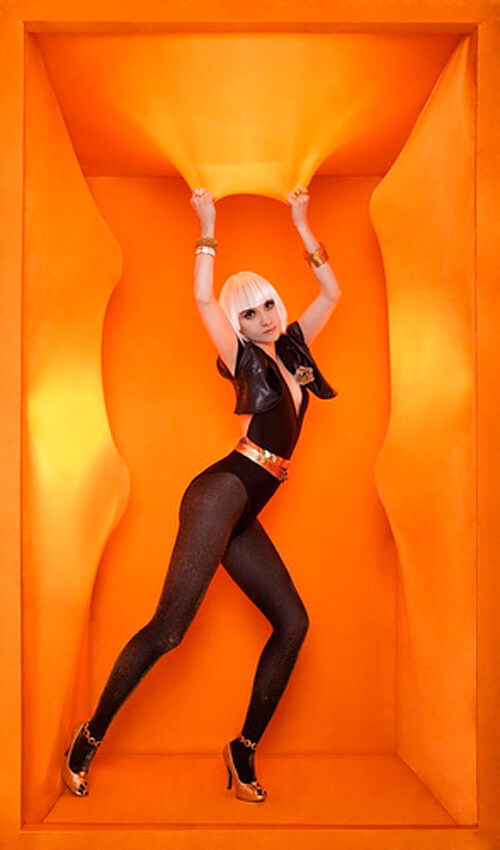
For a fashion photographer, every opportunity to shoot means finding the perfect clothing, the ideal background, and the right mix of light and color. Whether shooting for print ads and magazines or as part of a personal appreciation for fashion, every photographer seeks the ideal inspiration. Here are 30 remarkable fashion photography shots to help offer you the inspiration you need to get the best photos of your own.


Images by more than forty of the most innovative photographers working in the fashion industry today will be on view in Weird Beauty: Fashion Photography Now, at the International Center of Photography from January 16 through May 3, 2009. To highlight the original context of these photographs, this exhibition will feature hundreds of tear sheets, along with approximately twenty original photographic prints, and online media. The inclusion of such a variety of presentational formats will serve to illustrate the diversity that is characteristic of current fashion imagery.


was one of the most sought-after fashion photographers of the late '70s, and his work appeared in top magazines. Since then he has explored other areas, including short films. Since 1984, Greg has photographed dancers from Australia's premier dance companies, bringing to his photographs of dancers the same discipline as his subjects do to their art.
 Using few props and costumes, he relies very much on his relationship with each dancer to push the expressive boundaries of the human body. The results of this artistic collaboration are photographs of extraordinary beauty, spontaneity and wit.
fashion photography explorers the new current fashion in fashion industry and you can stay tuned by watching these pictures with fashion industry. If you are a fashion lover you should be familiar with the fashion industry some people love fashion some peoples say that fashion is life. If you don’t do a fashion then there is no purpose of living in the thsi world. Celebrity are the main source of fashion industry they wear new style clothes these clothes become fashion. And models are also are the great source of inspiration for fashion. The fashion photography usually takes place in the fashion shows and on special events. Fashion world is a complex world only a complex person can unerstand it . you learns fashion by heart and with creative mind. Below here i have gathered the most unique and popular fashions photography in the world. photographer can take the idea about photography. And fashion lover watch the latest the fashion .Don’t forget to comment.


Thursday, 30 August 2012

OUTDOOR PHOTOGRAPHY

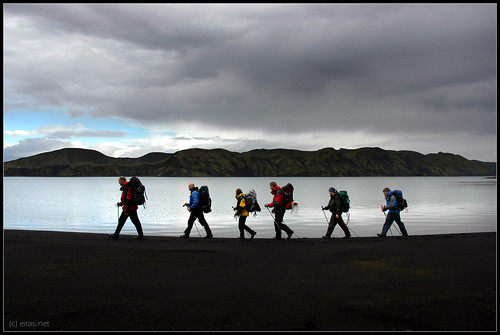
Outdoor Photographer is the premier magazine about outdoor photography. Our photography technique articles are geared to helping you capture the best wildlife, travel and outdoor sports photography. Review photography tips and keep up with digital photography as applied to nature photography; stay current with the latest in photography equipment.


Making your photos pop, whether they are wildlife or indoor studio photos, requires great light and contrast. There are five major light types for outdoor photographs. Light offers distinct illumination on the subject from within, offering a translucent glow, the front, the back, the side and at a three-quarter angle. By utilizing the light, your photograph can have additional drama and interest. For outdoor shots, contrast reduction should be utilized as the sun is lower. The contrast is naturally reduces when sunlight closer to the horizon and when the sun is higher to the sky. By utilizing these times, your photos can contain shadows as well as highlights. Natural light should be utilized for outdoor photos. Indoors, two strobes can add dimensions and life to shots which deal with high stress and are fast moving inside darker interiors. Natural light creates this for you. Direct sunlight during the middle of each day should be avoided and shade is more attractive because shade retains subtle light with dark relationships for the subject. Flash outdoor will reduce or even eliminate those details. Shallow depth and complementary lighting are great for outdoor photographs. In terms of outdoor lighting, color, quantity of light, quality of light, and direction are what determine how your subject will appear. Daylight as well as sunlight change each hour and are distinct based on season, location, weather, as well as latitude. By utilizing the changing daylight, shapes, colors, as well as tones can be altered for each scene. Best used near the ends and beginnings of each day, strong color can be found in mist, haze, or during storms. The lights direction will change with the movement of the sun over the sky, offered alterations in the shape of the shadows and their direction.xplore our readers' favorite places that offer the best in photography locations.


Direct sunlight is referred to as hard light because the shadows it produces as well as the highlights are well-defined. This type of outdoor lighting creates more intense strong colors but weaker pale colors. This natural light can be diffused by pollution, mist, or haze, producing a weaker light which creates softer shadows and duller highlights. Diffused sunlight is referred to flat. This is because it flattens form but provides well-saturated colors. While many will tell you to maintain the sun behind you, lighting over-the-shoulder will create a flat effect and will not bring out detail or impress upon the viewer any depth. Since our eyes see three dimensions we are able to compensate for poor quality lighting. A photographer, however, only works with two dimensions and must utilize light from an angle or the side to impress upon the viewer the depth of the subject, their form, and their texture. Turning your subject, changing the viewpoint of your camera, or waiting until more light falls on a single side can create side lighting. If you are creating photos in black and white then relying on the grey tones are particularly important in order to best record your subject. In this case, side lighting is extremely important because it reveals shadows and other texture-like details.


There are three very simple things that improve all photography, including portraits. To this day, there is no trick I have found that replaces the need for proper exposure, white balance, and sharp focus. Today’s digital cameras have less exposure latitude than a roll of Kodak gold film. In-camera metering systems have become much more advanced, but the sensors still lack the seven ƒ-stop exposure latitude that negative film has.


1) Never select all of the focus points for portraits, pick one.
When you pick the autofocus option that allows the camera to select focus points, you are doing your portraits a terrible disservice. This feature of a camera is usually designed to pick whatever is closest to the lens and focus there. In some cases, like with my 1DS Mark III, the camera will choose a cluster of focus points and make a “best guess” based on averaging the distance between all of the chosen points. Using one focus point gives you, the photographer, ultimate control.

2) Always focus on the eyes.

The eyes are the windows to the soul, and should be the focal point of any good portrait. Not only are the eyes the most important part of a good portrait, but they are the sharpest element on the face and should be left that way. When you are shooting with a wide aperture value focused on the eyes, the lens’s bokeh will aid in softening the skin as well.

3) Shoot wide open for shallow depth of field.

There are quite a few reasons to invest in a fast lens capable of wide aperture values; the most common is for shallow depth of field. Now that you can shoot at ƒ2.8 or ƒ4 you should use it. Most fantastic natural light portraits are from wide aperture values and it is all because of the wonderful smooth background blur we call “bokeh”.

4) Never, ever, shoot a portrait at less than 50mm; try to stay at 70mm or higher.

The last thing you want to hear from a client is “Why does my head look swelled?” Any focal length below 70mm can distort your subject, however it doesn’t become very noticeable until you are below 50 MM. The compression effect of a telephoto lens will also increase the blur of bokeh. Most of my portraits are done between 120mm and 200mm.

5) Always shoot in RAW.

A thousand times these words have bellowed from my mouth, and it will surely come out a million more. Raw is an unmodified compilation of your sensors data during the time of exposure. It is your digital negative. When you shoot in JPG format, everything but what the image processor needs to make a shell representation of the image you intended to capture is stripped away. For every edit you make to a JPG, you lose more data. With RAW, you can make a vast range of edits before creating the JPG. How can this make you portrait better? Think about the last time your white balance was set incorrectly, and you tried for hours to remove the color cast only to destroy the image with every attempt. RAW would have saved you by allowing you to fix the color before opening the image for retouching.


6) Always bring a gray card or a piece of a gray card for white balance.

You got me, gray cards aren’t free. However, $5.95 US for a cardboard Kodak gray card is darn close. To avoid confusion, I am going to explain this backwards. When opening Adobe Camera Raw or any other RAW image editing application there is always a way to select a custom white balance. Usually it is an eyedropper of some kind that you can use to click on what you think is neutral gray in your image. Imagine a world where your photo shoot involved 4 locations and a total of 800 images, and all day the camera was set to Auto White Balance. That is 800 different white balance values, a post production nightmare. If, at each location, you have your subject hold the gray card on the first shot, you will save hours of work. When you open location one (200 images) in your favorite post production application, all you have to do is click the eye dropper on the gray card, select all and synchronize the rest. Precious hours have been saved. (If you plan on taking your time, it may be wise to do this once every 30 minutes or so to compensate for the changing light of day.)

7) Shoot in the shade (Avoid direct sunlight)

Direct sunlight is harsh, makes your subject squint, and creates hard directional shadows and unpredictable white balance conditions. When shooting in the shade, there are no more harsh shadows, only smooth milky shadows created by your subject’s natural features. With proper exposure and white balance, you can make these shots look amazing.

8) Shooting carefully on an overcast day.

Natures softbox is a giant blanket of clouds. A good heavy blanket of cloud cover can help you enrich your colors, and make some very smooth and pleasing shadows.

9) If you must use hot, hard, bright light…

Always try to control the direction, use some kind of reflector, and try to mimic a studio light. Putting the sun directly behind your subject isn’t a good idea, unless you are trying to make a silhouette. When the sun is at my back, I have the subject look off camera (away from the sun) and get very nice results. Another great trick is to wait for a cloud to move in front of the sun, this usually creates a very bright yet contrasted look.

10) Use an existing reflector.

For example, my guess is that about 75% of the delivery trucks on the planet are white. These big white delivery trucks can make amazing fill light reflectors as long as they weren’t painted with an off white. (A yellow tint can change the white balance in your shadows.) Picture framing outlets and craft stores always have medium to large sized pieces of foam core lying around that have been left for scrap. They are usually more than happy to part with these scraps, and if not, chances are there are pieces by the dumpster.

11) Learn the sunny ƒ16 rule.

Why? So you have a baseline for proper exposure in your mind to work with if no other tools are present. The sunny ƒ16 rule states that on a sunny day, with your aperture value set to ƒ16, your shutter speed will be the inverse of the current ISO speed. For example, if your camera is set to ISO 100, and your aperture value is ƒ16, your shutter speed will be 1/100th of a second. On a cloudy day (or when in the shade) you simply use ƒ8 instead. If you own either an incident light meter, or gray card use either for the most accurate exposure instead. (Note: the procedure for metering exposure with a gray card is not the same as a custom white balance.)

12) Bring a sheet and a few spring clamps from home.

Leave the expensive 200 thread count sheets on the bed. You already got them? Well go put them back. You know that cheap old sheet you stuck in the corner of a closet to use as a drop cloth the next time you paint? Go get it. (Another option is to buy the cheapest, lowest thread count, white top sheet you can find.) A queen size sheet is an amazing, cheap, diffuser. Sort of a sever foot soft box for the sun. Wrap an edge of the sheet around a branch or clothes line and clamp for a side light. (Anchor the bottom corners with rocks to keep it from blowing into your image.) Clamp all for corners to anything you can above your subject for an overhead light.

13) Keep the power-lines and signs out!

We have already discussed keeping your camera focused on the eyes; keep your mind focused on the image as a whole. Power lines, signs, long single blades of grass, single pieces of garbage, sometimes even trees can be serious distractions from the overall focus of the image… The person you are photographing.

Last, and most important, have a great time shooting, enjoy what you’re doing and it will show in your work, and the expression of your subject.

indoor photography

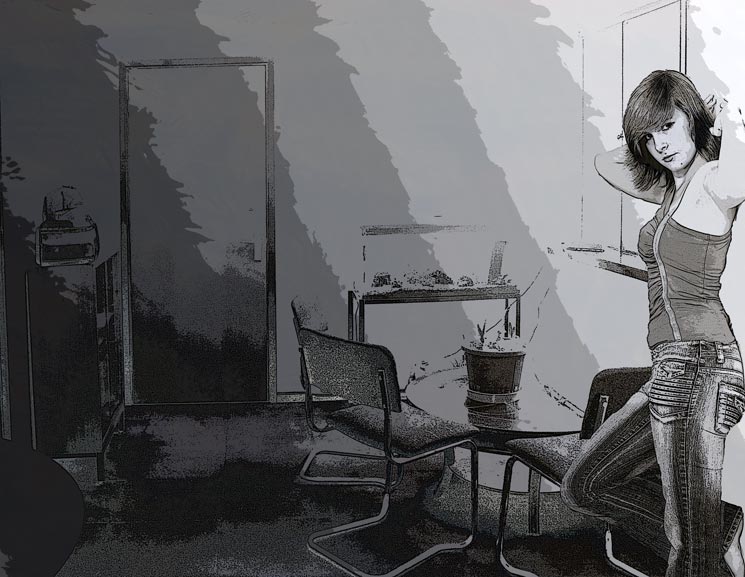
Indoor photography can be among the most challenging subjects for amateur and professional photographers. Lack of windows, natural light and the terrible effects of artificial lighting can all create unappealing or even undistinguishable images.
I decided to post this photo in the Lighting On Location section because location doesn’t just mean outdoors.  Many times I like to use the available light that is in the room.  In this instance it was a bathroom.  Now  this is something I learned from Helmut Newton.  When he first started shooting he couldn’t afford professional lighting.  He was very poor.  So he used the lamps in his house as his lighting source.  Of course back then he used film and did all his color correcting in the darkroom or used the correct film for such lighting conditions.  But I have come to like the warm color cast that results from NOT white balancing my camera.  This is the original shot.Composition is Everything.  Because indoor photography consists of so many architectural lines, keeping good composition is of the utmost importance.  Really pay attention to how you frame images, especially in places that have exposed brick or tile work.  Maintaining a nice, constant flow through the images is essential and even slightly off balanced it will be noticed.

Pay Attention to the Small Details. It doesn’t matter if you’re shooting friends over for a dinner party or a paid architecture gig, the small details matter!  Look at the counter tops for pens and notepaper, do they belong in the shot or can they be stashed somewhere else?  The toilet seat cover being down probably looks more attractive, and taking the time to even out towels on a rack will provide a better photo.  If there are dirty dishes in a sink, clean and put them away.  Full ashtrays look gross and crooked picture frames can make properly composed photographs look crooked.  Take the time to stage your photograph, these are things that can’t be easily edited in post production.
Bounce the Flash. If you must use a flash inside, use a hotshoe mounted flash, not the pop-up on-camera one.  I’d also strongly suggest a flash bracket to get the flash further away from the lens and reduce red-eye.  Bounce the flash off a wall, ceiling or, if none are available, utilize an Omni-Bounce or similar diffuser.  When you bounce or diffuse a flash, be aware that you essentially lose some of the effective power of it.  You’ll need to utilize either exposure compensation on your camera or adjust the ISO slightly higher to compensate for the difference.  Flash photography indoors should only be utilized when you can’t achieve the desired look from natural light.
Windows, Picture Frames, Mirrors and Glass Cabinets. Perhaps one of the most frustrating things to deal with while shooting indoor photography are reflective materials, especially when shooting with a flash.  Avoid using your flash if there is glass or reflective materials in the room at all.  Pack a circular polarizer filter to deal with the reflective and glass objects in your shots, and be aware you could lose 1/2 to 2 full stops of light, so adjust accordingly either via opening up the aperture or bumping the ISO higher. 

 Also take note to whether or not you show up in the reflection of any shiny objects!
A Tripod is Your Friend! While I know it’s nearly impossible to shoot candid photos of people with a tripod, if you’re doing architectural shots or photos of non-moving subject matter indoors, utilize a tripod.  Not only will it allow you to utilize the lowest possible ISO for the least amount of digital noise, it will provide a solid platform for you to properly align and compose your photograph.
As mentioned, indoor photography is a bit tricky and a lot of people can give up on it quickly.  I strongly suggest that you continue to experiment and take several shots of everything, also known as bracket shooting.  This will give you a better idea of what is and isn’t working for you.  One tip worth mentioning that is often overlooked is knowing the time of day and current weather outside, and how that relates to the house or building you’re shooting in.  For example, shooting in an eastern facing kitchen at 9am is going to provide some pretty bright light through the windows on a cloud free day.  The same kitchen at 4pm will probably be much darker since the sun will be passing over the house to the other side and shadows will be far less harsh.


Indoor photography is perhaps one of the most challenging places to shoot for new and experienced photographers. Natural and artificial light combined with natural light reflecting and refracting through windows and off walls can lead to some funky photographs. Mastering indoor photography can be one of the most frustrating things to learn. These seven deadly sins of indoor photography should be avoided, doing so will result in far better photographs. Lack of Custom White Balance. I’ve already shown you how and why you need to manually set your white balance, why not take the time to do it? Because almost all indoor photography has some sort of mixed lighting situation, it’s almost positive that auto or one the presets available on your camera won’t give you great results. On Camera Flash. Utilizing the on camera flash for indoor photography will surely give you a washed out, unflattering photograph. Avoid it at all costs if you can, even if you need to raise the ISO, avoid on camera flash whenever possible.


a very slow shutter speed and a high ISO.  The model has to keep very still OR even a little blur is ok.  It makes it more artistic.  Again, remember there is no right or wrong UNLESS the client doesn’t like it.  In this case my client, Deliverance Poker did like it.
Now I also wanted to try something else so I made the image black and white in Lightroom.  I also cropped it much tighter.  I like both versions.  I just want to show you how you don’t ALWAYS have to use additional lighting to capture a great shot.
This is the black and white cropped version.


Tuesday, 28 August 2012

photography backgrounds

A great photograph often consists of more than just a primary subject. Compelling pictures can be accented by interesting backgrounds and tools that allow the subjects to express themselves. That's where the challenge lies -- finding those perfect accents. Never fear. Many Web sites aim to provide photographers with backgrounds and props for use at home, in a studio or on location. You can find sites that'll provide everything from small snowflakes to a complete Tuscan scene.
Lighting set-up for this shot is as follows. 
1. Main Light – 3×4 Soft-box at f11
2. Fill – 4×6 Silver Reflector
3. Edge Light – Covered with Amber gel at f 5.6 1/2 
4. Background Light – 7″ parabolic reflector with barn doors, covered with purple gel – f8
5. Background Light – 7″ parabolic reflector with barn doors, covered with blue gel – f8 
6. Edge Light – Covered with Blue gel at f 5.6 1/2


When it comes to photography backdrops, nothing is more important than keeping them clean and unwrinkled. Fabric backdrops look great in photographs, as long as they are well maintained. Washing a backdrop is not recommended. Even if it is not a backdrop rental it can significantly degrade the quality and should be avoided. However, sometimes things are just unavoidable; in that case you should try to spot treat the stain with mild soap, a scrub brush, and warm water. If you use bleach or detergent, it can greatly damage the backdrop. If the stain is resistant to spot treatment, you may need to soak the area in warm water and a mild soap solution overnight. Try very hard to get the stain out using this method as a stronger detergent may damage the backdrop. If an area is damaged and the backdrop cannot be replaced, it is possible to shift the spot out of the camera’s view or place objects in front of the stain. Creases and folds are generally unavoidable, especially during shipping. However, there are several ways to solve this problem. If you are not going to be using the backdrop for a few days, simply hang it on the backdrop stand and let the creases work them out. If you cannot wait, then use a hand-held fabric steamer. Do not iron! Ironing your backdrops will create noticeable shiny hotspots in your backdrop and ruin it. If you can ensure that it won’t be stepped on or otherwise destroyed, you can allow your backdrop to lay outstretched on a clean portion of your yard overnight. The natural dew will help remove most of the wrinkles and folds. This is similar to hanging up clothes in the bathroom during a shower to use the steam to work out the creases. However, you would have to have a pretty big bathroom to hang up a backdrop near shower. Like any fabric, theme backdrops will eventually attract dust and hair. To remove dust, simply shake the backdrop. Pet or human hair can be removed using a large lint roller which can be bought for fewer than 10 dollars. These are very effective for cleaning backdrop lint quickly and effectively! Most people think that folding a backdrop the same way it was shipped is a good way to store it. However, it is best to roll it up into a wrinkled ball when storing them. Natural wrinkles actually add texture to the backdrops. You can store it in a large plastic tub to eliminate excessive dust from accumulating on the backdrops. Now that you know how to properly care for your backdrop rentals you can start working on taking great pictures!